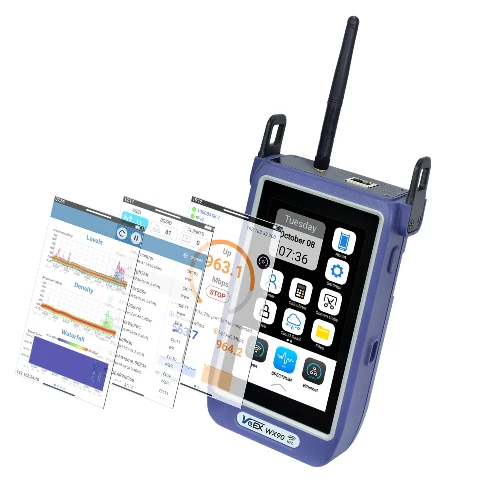
A wireless site survey on a single-storey property is a fairly linear job: load the floor plan, walk the rooms, tag the results. A two-storey building adds a wrinkle that's worth planning for before you're stood in the hallway with the meter in hand — the WX90's Multi-Room feature holds one floor plan per survey session, so each floor needs to be run as its own scan.
Before you start
Get a JPEG or PNG floor plan for the ground floor and a separate one for the first floor. They don't need to be architect-grade drawings, but keeping them to scale pays off — Multi-Room's Map Mode places your measurement points directly on the image, so a plan that's roughly proportional gives a more useful final report than a rough sketch.
Copy both images onto the WX90 before you head out, either over USB-C from a PC or via a USB memory stick, so they're ready to select inside the app on site.
Running the survey, floor by floor
- Open the Wi-Fi app and select Multi-Room, then Map Mode, and load the ground floor image. Choose Business or Residential as the location type and confirm.
- Tap each room directly on the floor plan to drop a measurement point, then run the test at that physical location — Basic Signal Tracking, Channel Availability, and an Ookla Speedtest if you need throughput figures as well as coverage.
- Work through every room on that floor before moving on.
- Save the completed session with a clear name — something like 'Site Name – Ground Floor' — so it doesn't get muddled with the next floor's data.
- Start a fresh Multi-Room session, load the first-floor plan, and repeat the process.
- Use a fixed landmark — the staircase is usually easiest — as your reference point on both plans, so the two floors line up conceptually when you write up the report.
- Pull both results off the unit via File Manager, or transfer them by NFC/QR through NoApp, and present them together as a single two-storey survey.
Why treat the floors separately
It's tempting to want one continuous scan for a two-storey job, but trying to force both floors onto one floor plan image loses the room-level detail that makes Multi-Room useful in the first place. Two clean, well-labelled sessions give you a report that's easier to read and easier to defend if a client questions the coverage on a specific floor.
A well-executed site survey ensures the wireless network performs with optimal coverage — that means documenting it floor by floor, not guessing at how results carry between levels.
Get it right first time
Frame supplies and supports the VeEX WX90 across the UK and Ireland, alongside demo units if you want to trial it on a real job before committing. If you're setting up a fleet of these for field engineers, or want a second opinion on survey methodology for a specific site, we're happy to talk it through.
Questions about anything here? Talk to an engineer.